Most demos of AI assistants look the same: you type, it answers, you type again. Useful, sure — but you are still the one doing the waiting, the watching, and the wiring.
This post is different. It is a real, end-to-end story of DMJBot doing an actual piece of my work — from "is this even ready yet?" all the way to "here is the finished report" — while I was away from my laptop. No babysitting. Five screenshots, one continuous flow.
Here is exactly what happened.
The setup
I had a Jira task, SCRUM-1, waiting on me: an experiment with group communication — adding emotional status emojis to messages. But I couldn't start it yet, because the final requirements were coming from a colleague, Roman Doubush, and he was going to send them over Slack "soon."
Classic blocked-work limbo. Normally that means I keep one eye on Slack all afternoon. Instead, I handed the whole thing to my assistant.
Step 1 — "Has the data arrived yet?"
First I just asked a simple question: did Doubush say anything about the task requirements in Slack recently?
The assistant didn't guess. It went and checked — read the channel messages, listed the users, scanned the recent DMs — and came back with a clear answer:
No — nothing about task requirements. The only recent DM from Doubush says: "Will you be at the call today?" So no signals about requirements being ready or anything SCRUM-related yet.
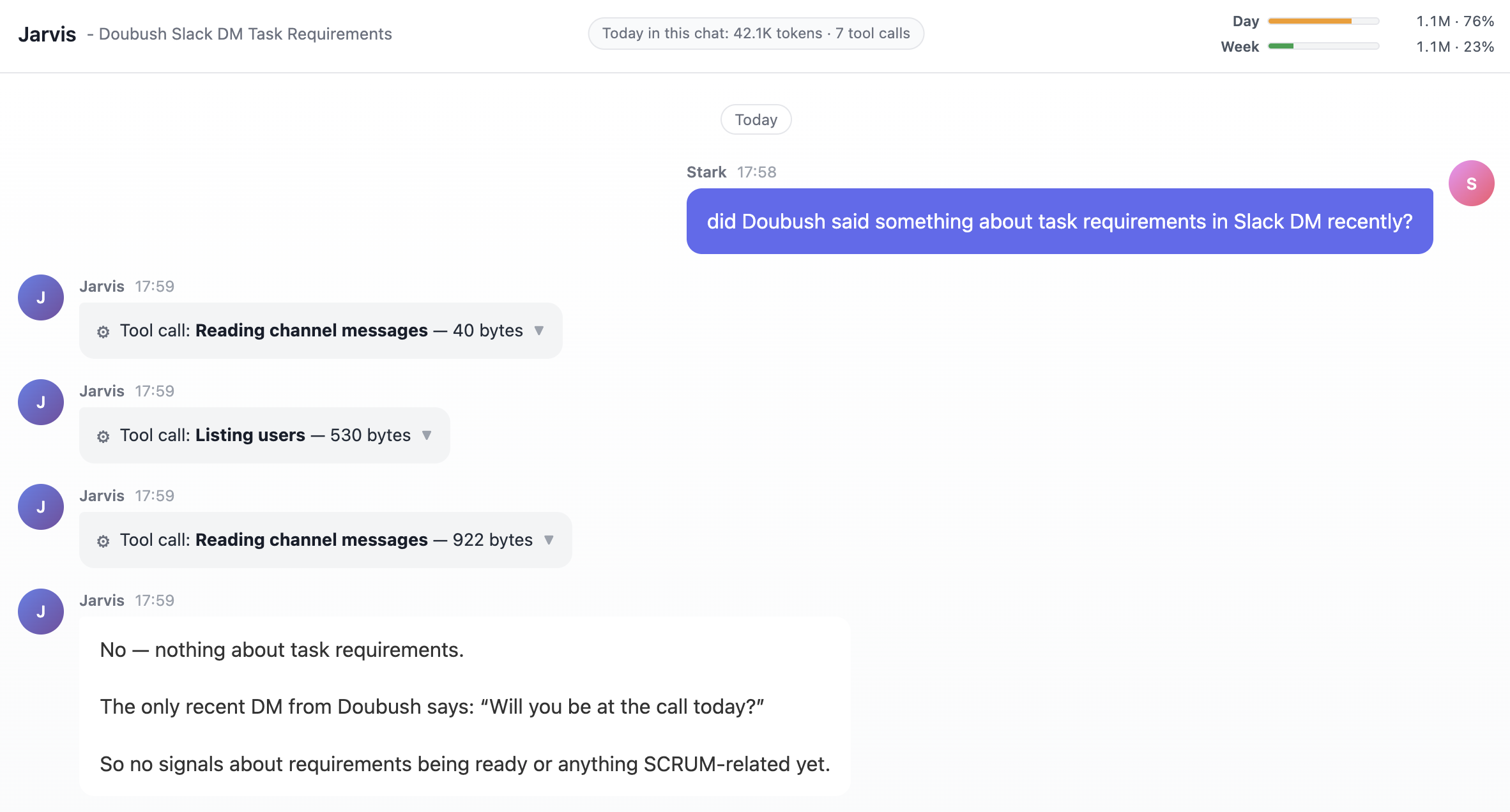
This is the part people underestimate. Before automating anything, the assistant verified the real current state instead of assuming. The data wasn't there yet — confirmed.
Step 2 — "Then start the moment he says it's ready"
So I described the whole scenario in one message — the way you'd brief a capable teammate:
I expect Doubush to ping me on Slack when the requirements for SCRUM-1 are ready. Then move the Jira task SCRUM-1 to In Progress and ask the Coder Agent to implement the task. Don't commit changes — just get a git diff report as a PDF, email it to me, and also show it here.
The assistant read it back to me as a concrete plan, so I knew exactly what it had understood:
- move SCRUM-1 → In Progress in Jira
- kick off the Coder Agent (no commits)
- generate a git diff → PDF
- email it to me
- show the result in the chat
- ping me on Slack when done
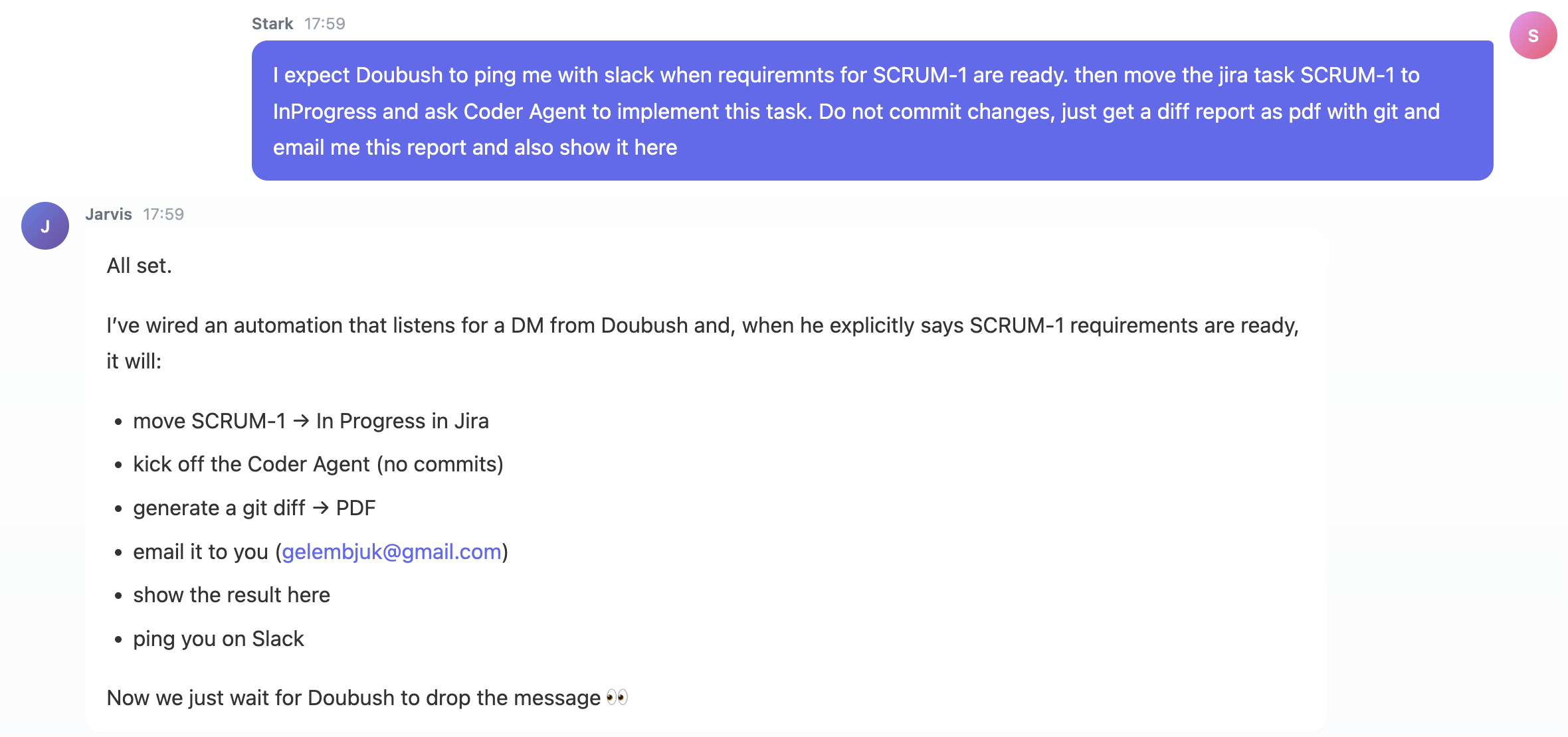
Now we just wait for Doubush to drop the message. 👀
Notice what I didn't do: no triggers to configure, no workflow builder, no glue scripts. I described the outcome in plain language and the assistant turned it into an event-driven automation.
Step 3 — The assistant gives itself the assignment
Behind the scenes, DMJBot created an assignment for itself — a standing job that watches Slack and only fires when Doubush actually says the SCRUM-1 requirements are ready.
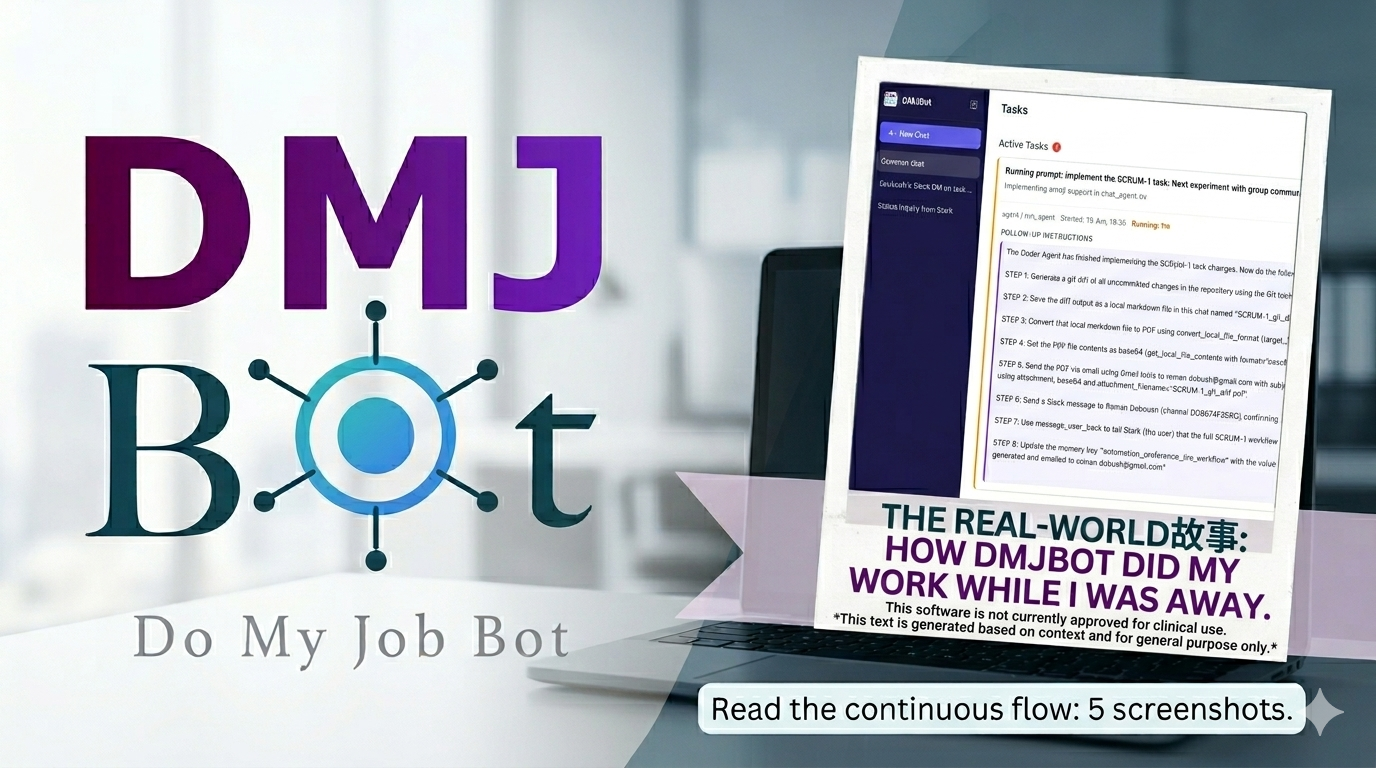
You can see it sitting in the Tasks view, with the full step-by-step follow-up instructions it will run once triggered: generate the diff, save it as markdown, convert it to PDF, email the report through Gmail, post a Slack confirmation, report back to me in the chat, and even update its own memory so it remembers how this workflow went.
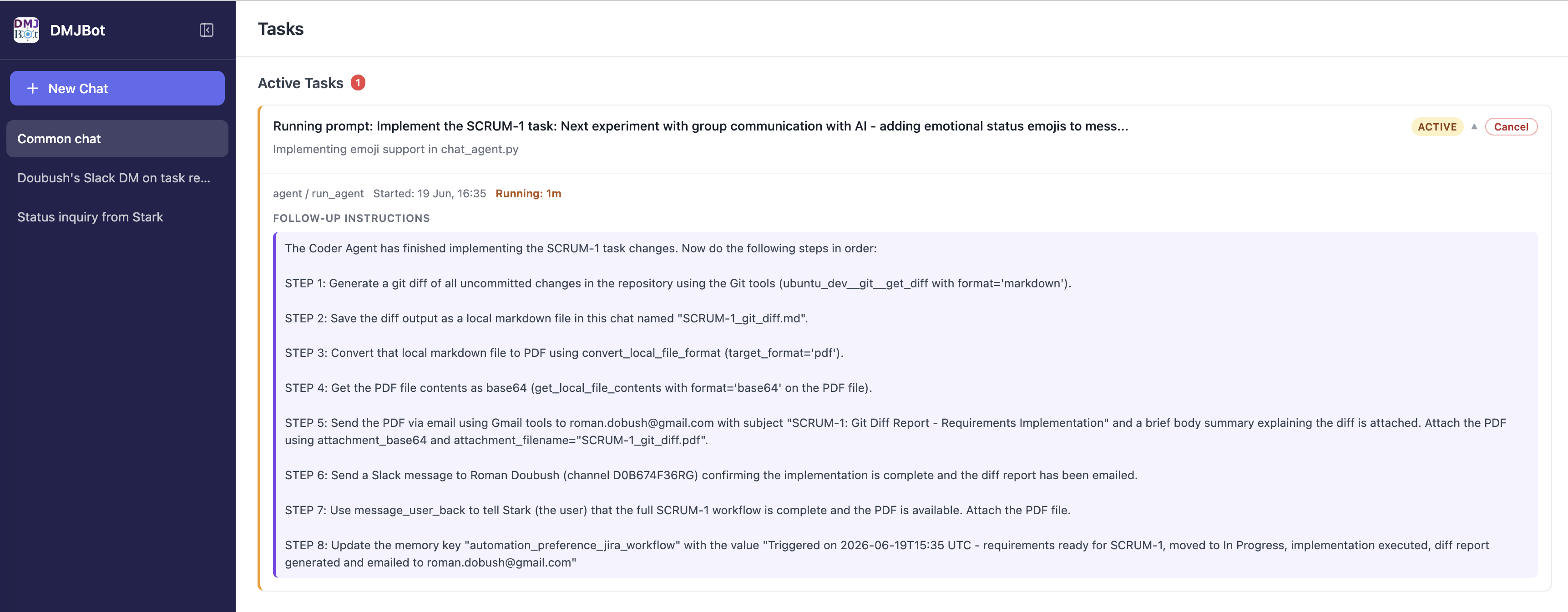
At this point my job was done. I closed the laptop and left.
Step 4 — It started without me, and I watched from my phone
Later, away from my desk, my phone buzzed. Doubush had sent the Slack DM — the requirements were ready — and the assistant had already started, exactly as briefed.
From the mobile app I could see the live progress:
- ✅ Moved SCRUM-1 to "In Progress" in Jira
- 🔄 Delegated the implementation to the Coder Agent, which was working on extending the
saytool with an emoji parameter, adding emoji support to the conversation format, updating the system prompt to pick emotional emojis, updating the display, and creating new scenario files
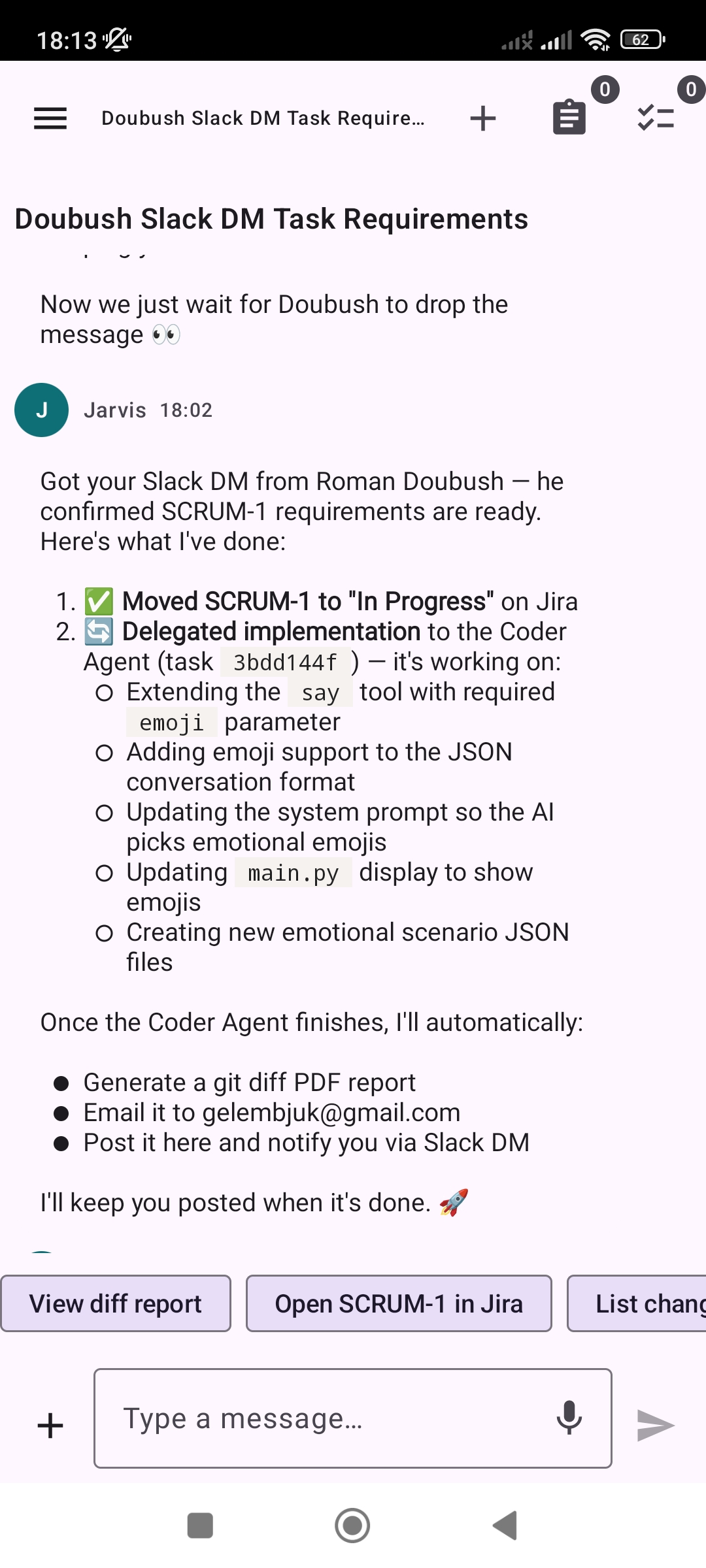
Once the Coder Agent finishes, I'll automatically generate a git diff PDF report, email it to you, post it here, and notify you via Slack. I'll keep you posted when it's done. 🚀
I didn't touch anything. I just watched it happen.
Step 5 — Done, with a report on my phone
A while later, the final message arrived: implementation complete. The assistant had run the entire follow-up plan and handed me a clean summary table of what it did:
| Step | Action | Result |
|---|---|---|
| 1 | Git diff of all changes | 8 tracked files + 2 new scenarios |
| 2 | Save as scrum1_diff.md |
Markdown diff saved locally |
| 3 | Convert to PDF | scrum1_diff.pdf created |
| 4 | Upload to the Dev Server | Saved alongside the project |
| 5 | Email the report | Sent to my inbox |
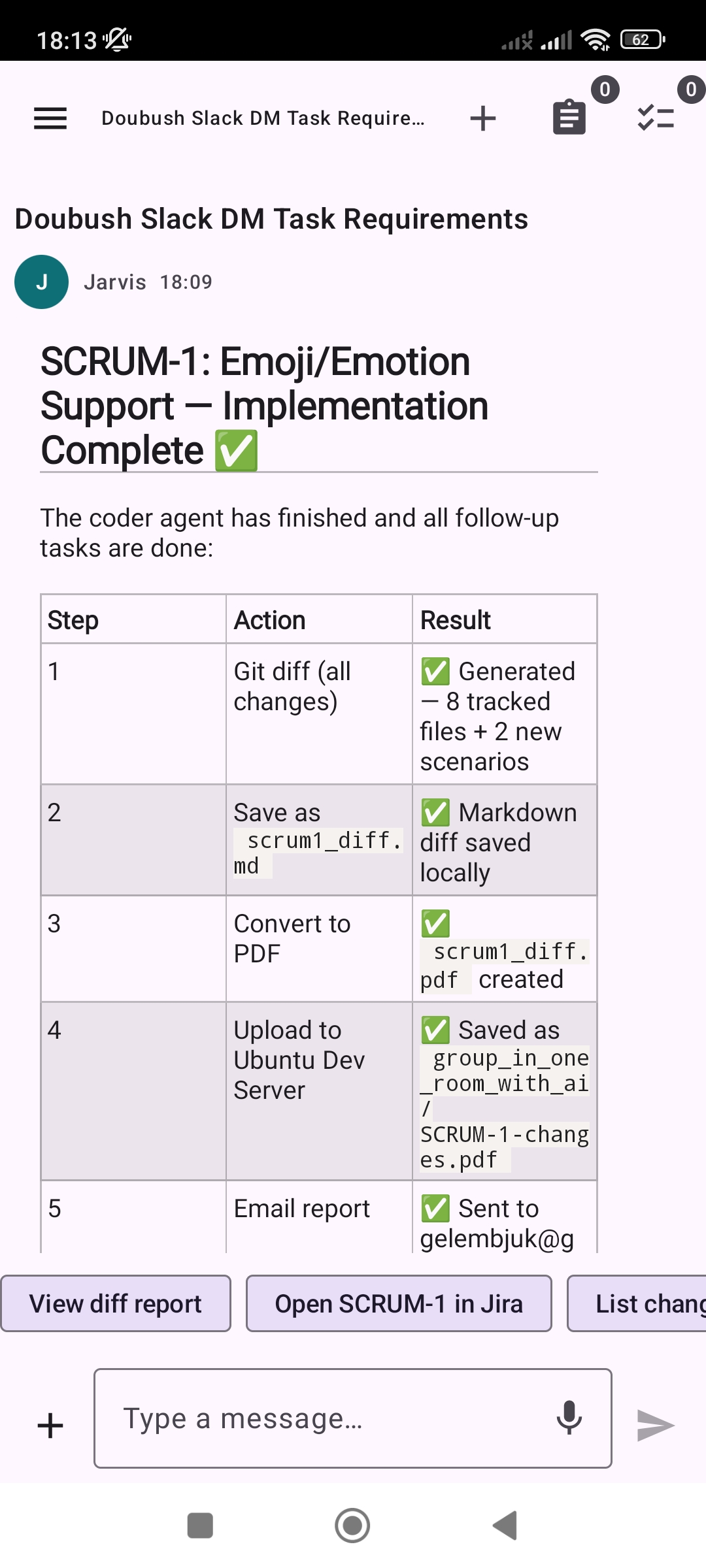
The git diff was waiting in my email as a PDF, the Jira task was in the right state, and Slack had the confirmation — all without me ever sitting down to "drive" the assistant.
Why this matters
Step back and look at what actually happened across those five screenshots:
- I asked a question and got a verified answer, not a guess.
- I described an outcome once, in plain English.
- The assistant turned it into an event-driven automation and assigned the work to itself.
- It waited for the real-world trigger — a colleague's Slack message — and started on its own.
- It orchestrated several tools and another AI agent (Jira, Slack, a Coder Agent, git, PDF conversion, email), kept me updated on mobile, and delivered a finished report.
That is the whole idea behind DMJBot — "Do My Job Bot." Not a chat window you have to babysit, but an AI employee that works for you 24/7: proactive, event-based, and connected to the tools you already use. You stay in control; it does the running around.
This wasn't a scripted demo. It was a normal blocked task that got unblocked, implemented, and reported on — while I was somewhere else entirely.
Want this same flow for your own work? That's exactly what we're building. The AI employee is on the clock. 👋