A simple AI harness is a loop: prompt → model → tool call → result appended to the context → back to the model. There can be as many rounds as many tool calls are requested. It works, and it has one serious weakness — every round is more expensive than the last one, because every tool result makes the context bigger.
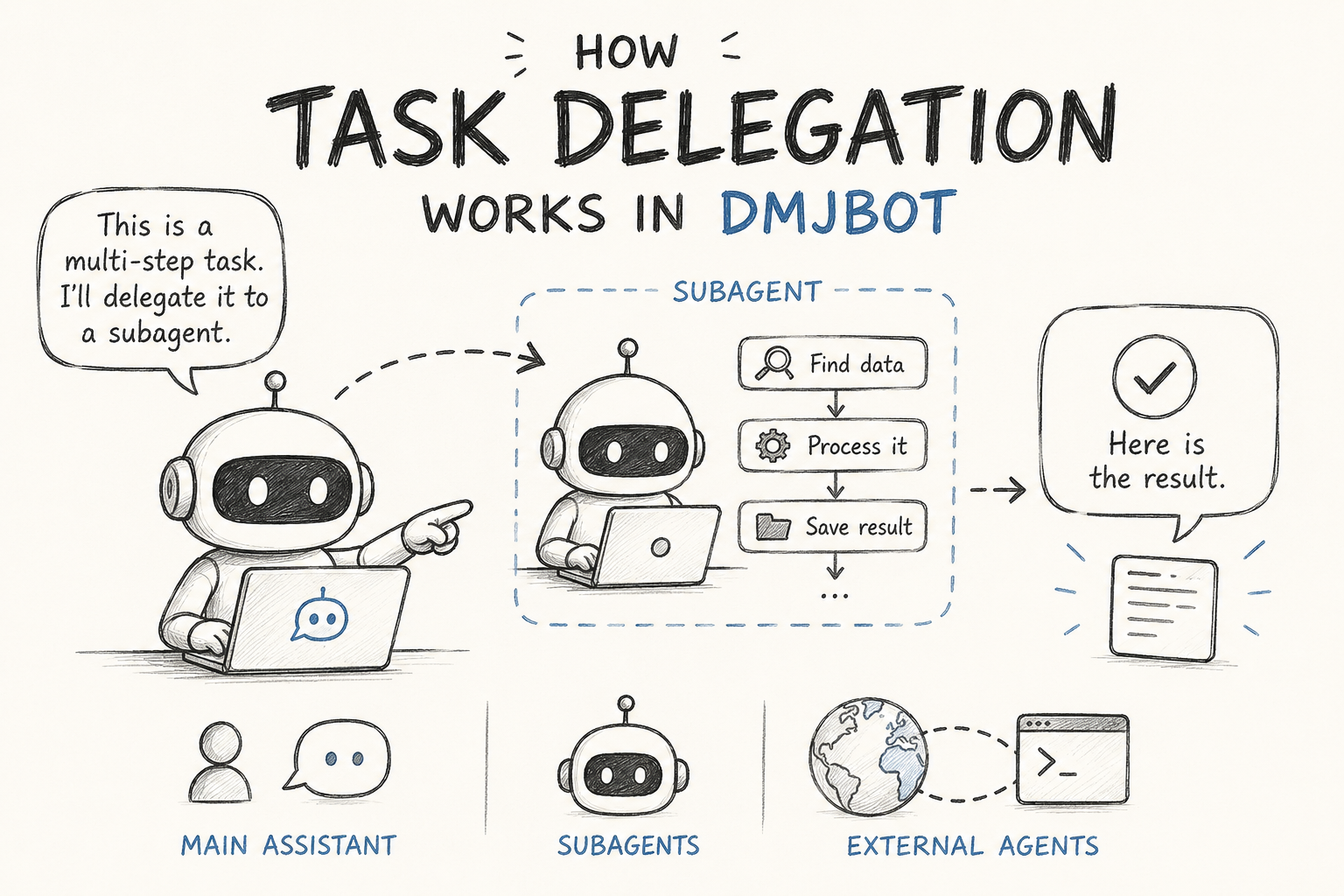
Delegation is the fix. A delegated agent gets only the context it needs, does the messy multi-step part on its own, and returns a single answer. The main conversation stays short and cheap. It can also be given a cheaper model and a much narrower set of tools than the main assistant.
DMJBot supports three kinds of delegation:
| Kind | What it is | Where it is configured |
|---|---|---|
| Common subagent | A throwaway helper with an empty history | Nothing — it is always there |
| Defined agent | A named specialist with its own instructions, models and tools | Settings → Agents |
| External agent | Any command-line AI tool, anywhere, wrapped as an MCP server | Settings → Tools (the agent MCP server) |
1. The common subagent — zero configuration
Nothing to create or name. When the bot decides a request needs more than one round of tool calls — "find X, then convert it, then save it to Dropbox" — it writes a briefing (task, context, expected output) and hands the whole chain over.
The subagent runs in the same session: same files, same memory, same tools, same connected devices. What it does not see is the conversation. It starts with an empty history and only the briefing.
That is the point. Twelve tool calls to fill in a web form happen off to the side, and the main conversation receives one line: the result.

The bot only reaches for it when delegating is likely to pay off — no point paying for a second agent to answer "what time is it in Kyiv". The delegation_work_ratio_threshold setting controls how eager it is (default 0.6; lower it towards 0 to delegate almost always).
Use it for: one-off, exploratory work — anything you wouldn't bother writing a job description for.
2. Defined agents — named specialists
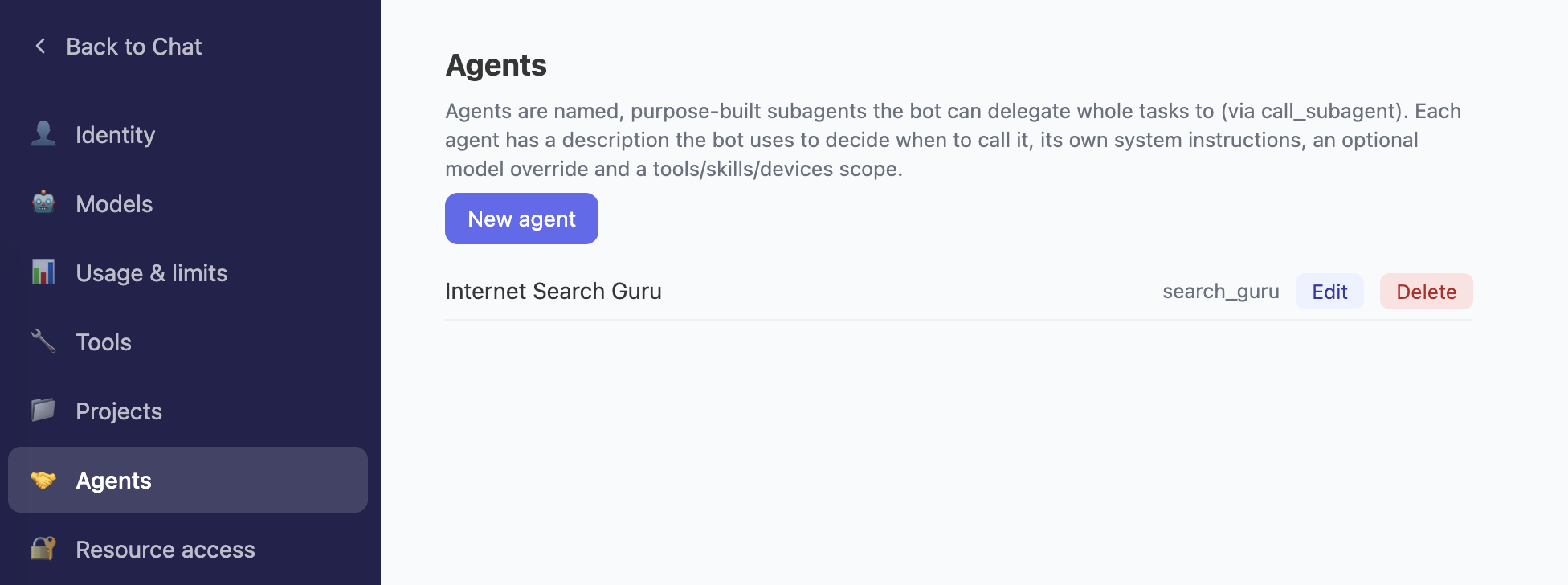
Other harnesses express this as an AGENT.md file in a project directory. In DMJBot it is a form in the settings, because the assistant runs 24/7 and belongs to a user, not to a repository.
Create it
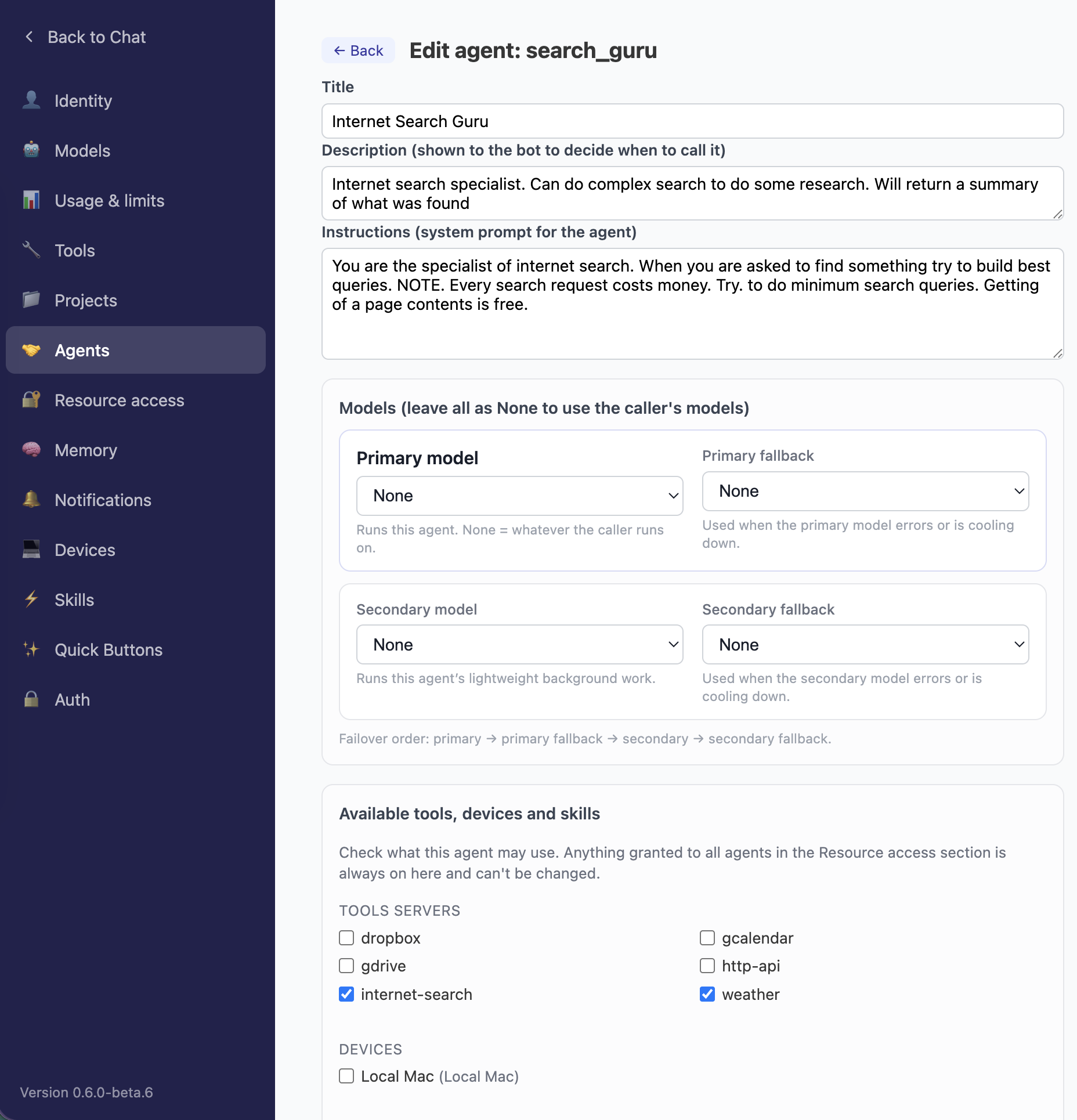
Settings → Agents → add. It needs an id (short, slug-like: researcher, mail-triage) and a title.
Describe it, and instruct it
Two fields on the edit form do the important work, and the difference matters:
- Description — what the main bot reads when deciding whether to call this agent. Write it as a job description: "Searches the web and returns a short factual summary with sources." Vague description, and the agent never gets called — or gets called for the wrong things.
- Instructions — the system prompt for the agent itself: tone, method, output format, hard rules. Empty means it inherits the common instructions.
Give it its own models
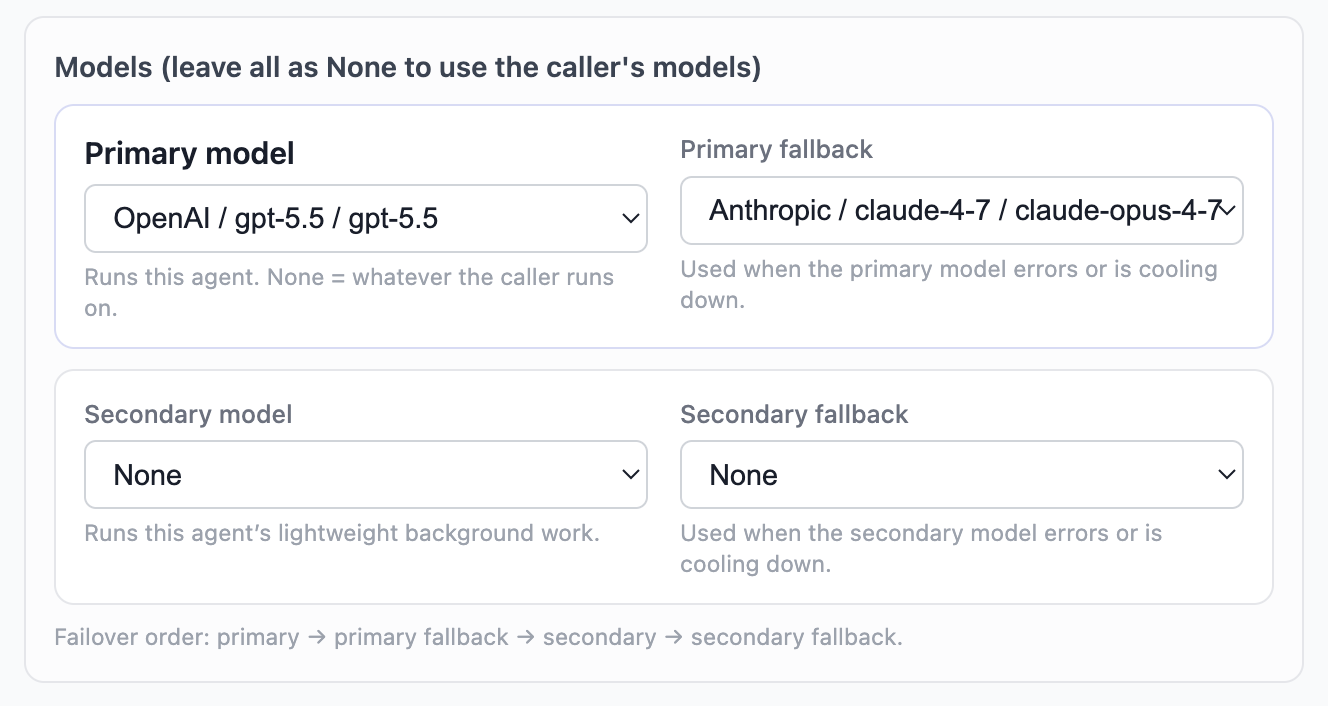
A research agent that mostly reads web pages can run on a cheap fast model while the main conversation runs on a strong one. Four slots — primary, primary fallback, secondary, secondary fallback — used in that failover order. Leave them all None and the agent runs on whatever the caller runs on.
Decide what it may touch
The easiest part to underestimate, and the biggest reason to define an agent at all. Check exactly which tools servers, devices and skills it may use — nothing is inherited by default.
Two rules worth knowing: a device gates its servers (a server can't be enabled for an agent whose device isn't), and anything granted to all agents in Settings → Resource access is always on and can't be switched off here.
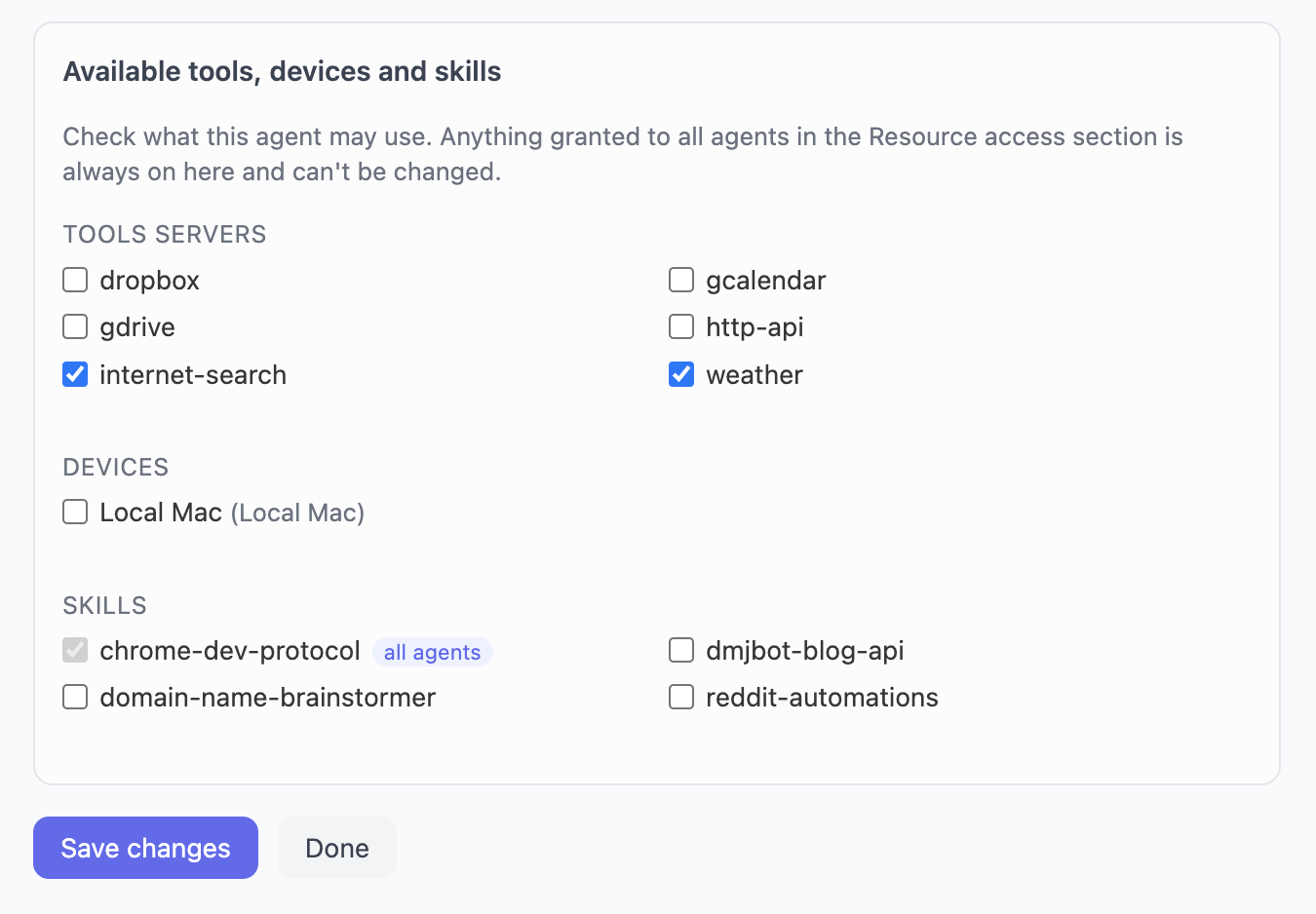
Fewer tools means a smaller context, a smaller bill, and a much lower chance the model picks the wrong one. The email agent gets the mail server and nothing else.
How the bot sees it
From the model's point of view there is no such thing as an "agent". Every defined agent is an ordinary tool named agent__<id> with a single prompt argument, described by the description you wrote. No agent catalog in the system prompt, no special vocabulary, no extra decision to get wrong.
The model just sees a tool that says "Searches the web and returns a short factual summary with sources" and calls it — so agents compete for selection on the quality of their description, like any other tool. Unlike the common subagent, a defined agent is always offered.
3. External agents — wrapping any CLI, anywhere
The assistant runs in the cloud, but the work often has to happen where the files, repositories and credentials already are. Those don't move to the cloud — an agent is placed next to them and called over the network.
DMJBot uses MCP as the transport and defines an agent interface: an MCP server exposing run_agent and cancel_task is an agent. That is the whole contract. Claude Code, Copilot CLI, aider, Codex, a shell script, another DMJBot instance — anything with a command line can be wrapped, and the orchestrator never needs to know what is on the other side.
A ready-made server ships for exactly this, called Agent (mcp-agent). No code required: install it on the machine that should do the work, connect that machine with the bridge, and fill in a few fields.
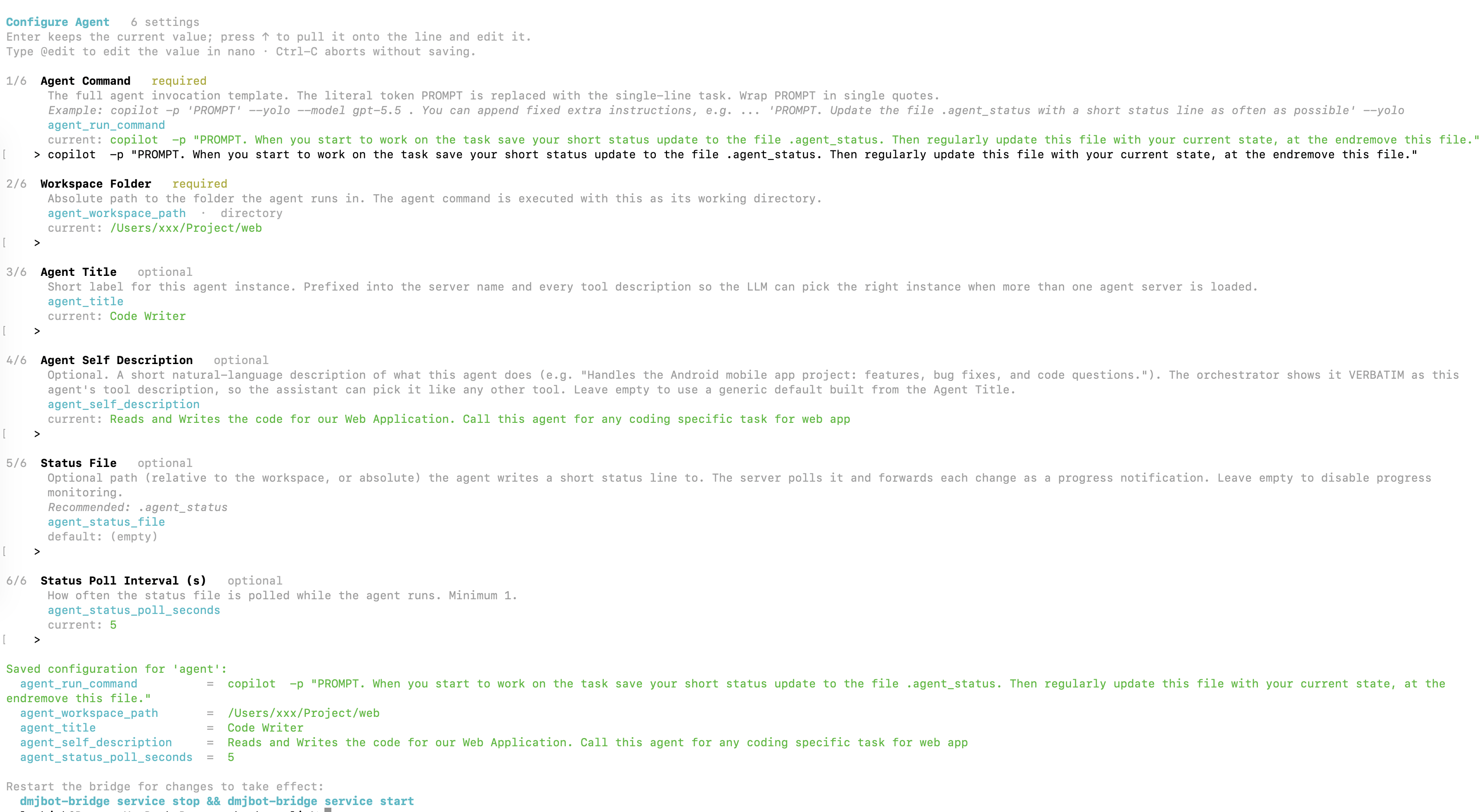
Agent Command — the invocation template. The literal token PROMPT is replaced with the task:
copilot -p 'PROMPT' --yolo --model gpt-5.5
Anything else in the template is a permanent instruction for every run — this is how you pin behaviour:
copilot -p 'PROMPT. Update the file .agent_status with a short status line as often as possible.' --yolo --model gpt-5.5
Workspace Folder — the absolute path the command runs in. This is the agent's world.
Agent Title — a short label (Copilot (mobile app repo)), prefixed into the server name so instances can be told apart.
Agent Self Description — shown to the main bot verbatim as the tool description, so write it like a job description: "Handles the Android mobile app project: features, bug fixes, and code questions." Leave it empty and you get a generic default — which works, but the bot will be much worse at choosing between three coding agents on three machines.
Status File — optional, strongly recommended: .agent_status. With the instruction above in the command template, the agent writes a status line as it works and every change is forwarded to the chat. Without it, a ten-minute run is a black box.
Run one instance per repository, per machine, per tool — Copilot (mobile app) on the Mac, Claude Code (backend) on the Linux box. To the bot they are just tools with different descriptions.
Two runtime details: one task at a time per instance (for parallelism, run several), and anything longer than a few seconds is detached as a background task — the run continues on the remote machine and the output arrives later, so the chat is never blocked on a twenty-minute refactor. Cancelling from the chat kills the whole process tree, not just the shell wrapper.
Seeing it in action
Whichever kind of delegation happens, the chat shows it the same way: a subsession — a collapsed bubble you can expand.
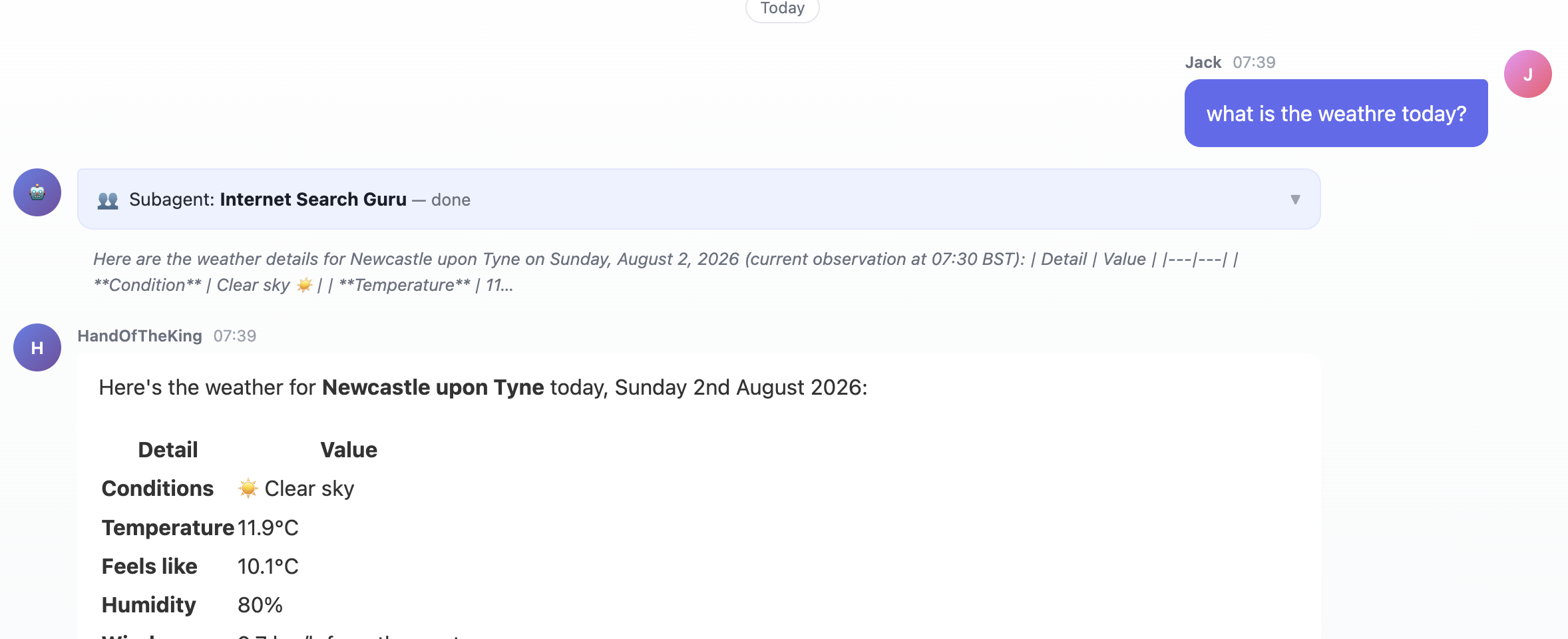
Expanded, it holds the full story: the prompt that was handed over (shown first — nine times out of ten a misbehaving agent got a bad briefing, not a bad instruction), the progress (every tool call for internal agents, every status line for external ones, deduplicated), and the final result.
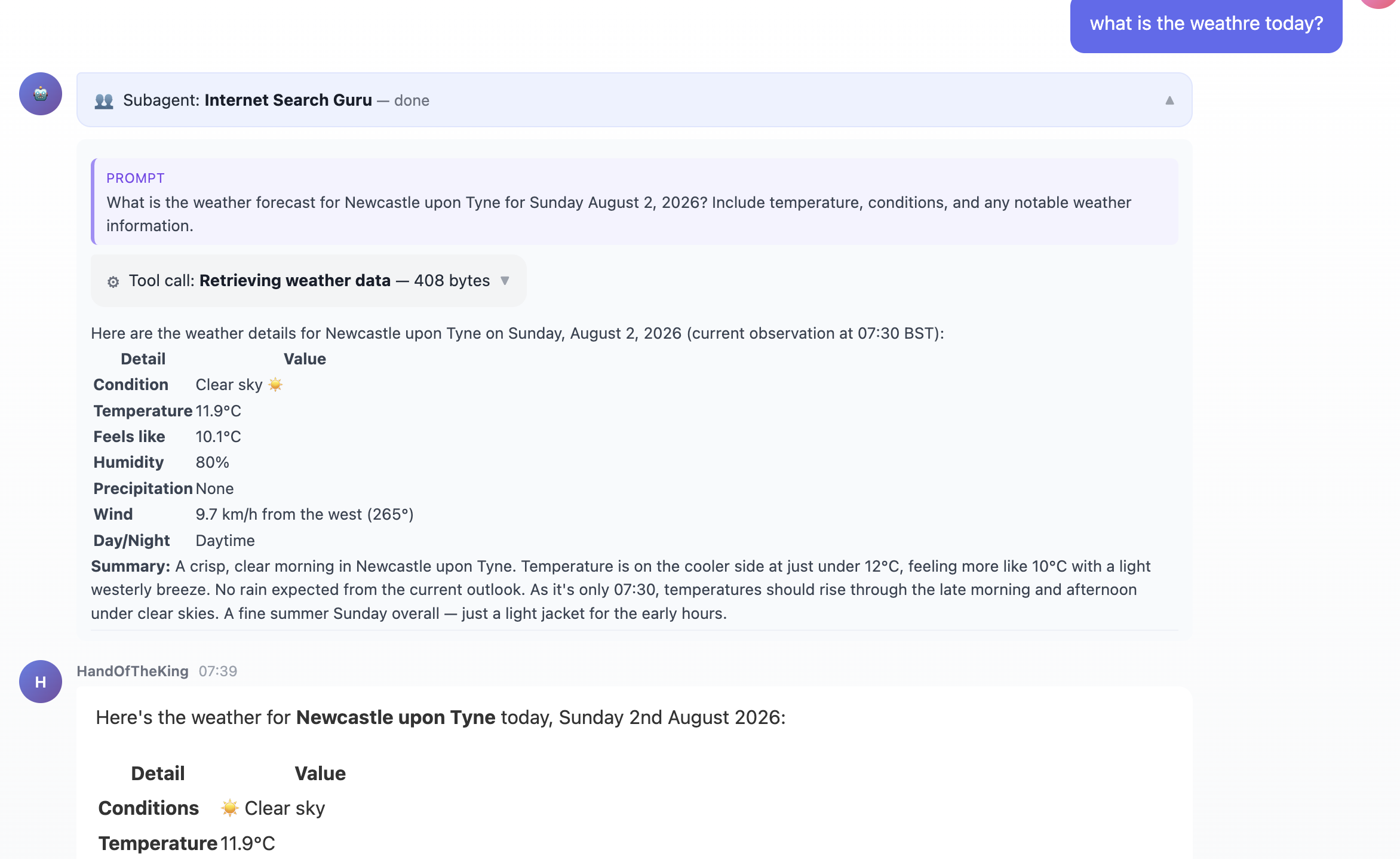
Collapsed it is one line; expanded it is a full audit trail. And it stays out of the main transcript — keeping that clean was the point of delegating.
Which one to use
- Common subagent — one-off, messy work. Nothing to set up.
- Defined agent — when the same job keeps getting explained, or when a task needs a different setup than the main chat: cheaper model, narrower tools, stricter instruction, specific device.
- External agent — when the work must happen somewhere else, or in a tool that is simply better at it. No reason to ask a general assistant to refactor a Go module when Claude Code is already on that machine.
Most real setups use all three: a cloud instance doing the thinking, a few defined agents for recurring specialist work, and coding CLIs on several machines wrapped as external agents — with the assistant deciding which of them a job belongs to.
Not one enormous agent that knows everything, but a small orchestrator that knows who to ask.
DMJBot is a self-hostable personal AI assistant harness. Try it or read the documentation.