
Gmail MCP Server
The Gmail MCP server connects DMJBot to a Gmail account over Google's IMAP (read) and SMTP (send) servers. DMJBot can list the inbox, read messages and attachments, send mail, and mark messages read. It can also notify you when new mail arrives.
All Gmail server settings are built in (imap.gmail.com:993 TLS,
smtp.gmail.com:587 STARTTLS) — you only supply your Gmail address and an app
password. For a non-Gmail mailbox use the Any Email server instead.
What DMJBot can do
send_email— send an email via Gmail SMTP.get_inbox— list messages in the inbox.get_email_contents— fetch the body and headers of a specific email.mark_email_read— mark an email as read.get_attachment— download an attachment from an email.
Notification
new_email— a new message is detected in the inbox during polling (id, from, subject, date).
Authentication
Gmail requires a Google App Password — not your normal account password.
- Enable 2-Step Verification on your Google account (required for app passwords).
- Generate an app password at https://myaccount.google.com/apppasswords.
- Use your full Gmail address and that app password below.
Add the server
The Gmail server is bundled in the DMJBot catalog. Add it either in DMJBot itself or on a connected device:
-
In DMJBot:
Settings -> Tools, add the Gmail server from the catalog, and fill in the configuration fields below. -
On a device (bridge):
dmjbot-bridge install gmail
dmjbot-bridge configure gmail
dmjbot-bridge start
You can run more than one Gmail server (multiple accounts) — give each a distinct Email Box Title so DMJBot can tell them apart.
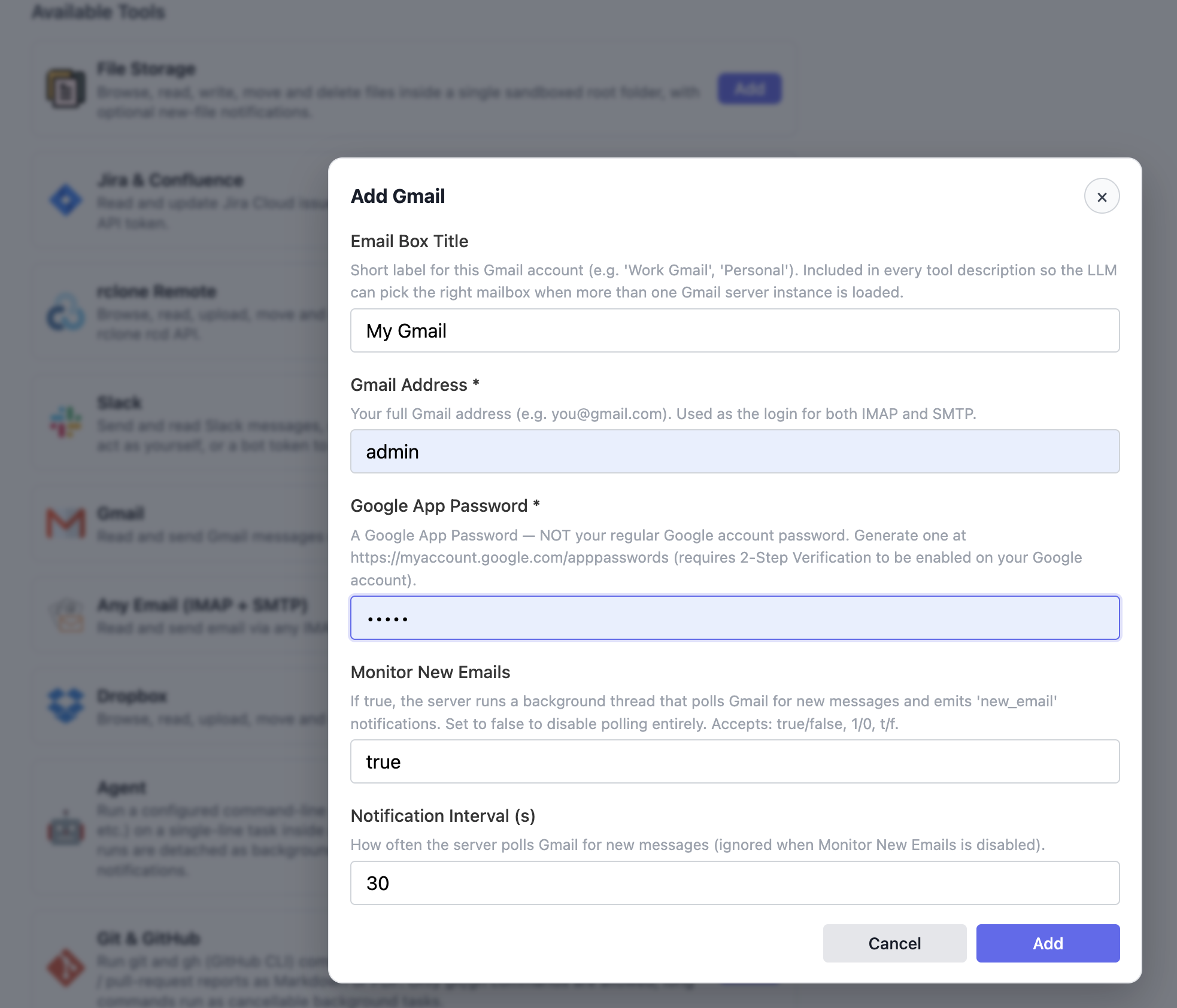
Configuration
| Field | Required | Default | Description |
|---|---|---|---|
| Gmail Address | yes | — | Your full Gmail address (e.g. you@gmail.com); login for IMAP and SMTP. |
| Google App Password | yes | — | A Google App Password (not your account password). Sensitive. |
| Email Box Title | no | My Gmail |
Short label included in tool descriptions so DMJBot can pick the right mailbox when several are loaded. |
| Monitor New Emails | no | true |
Poll the inbox and emit new_email notifications. |
| Notification Interval (s) | no | 30 |
How often the inbox is polled (ignored when monitoring is off). |
Boolean fields accept true/false, 1/0, t/f.